How we tested
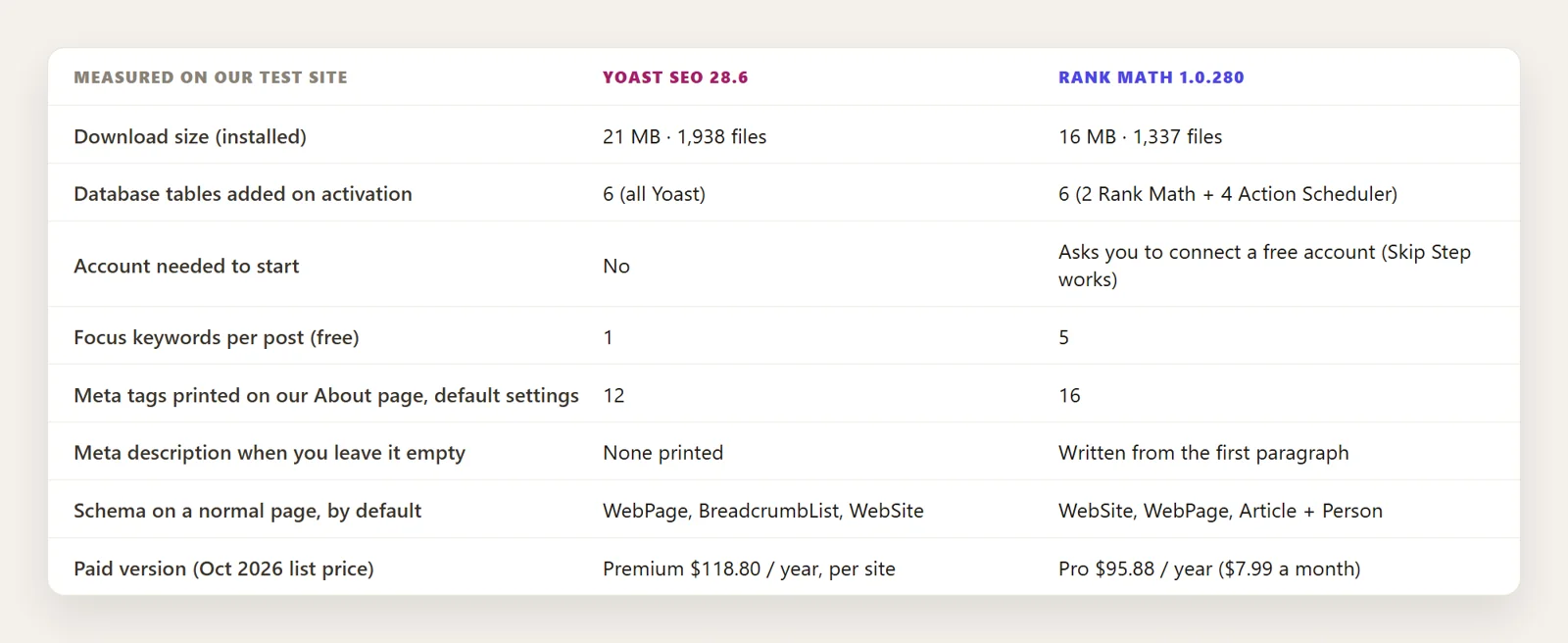
We installed the current versions, Yoast SEO 28.6 and Rank Math 1.0.280, on the same WordPress site: a plumbing business with 131 pages. We turned each one on alone, with no other SEO plugin running, and looked at the same About page with each. Everything in the table below comes from that test, except the prices, which are the list prices on each company's site in October 2026.
Setup: Yoast just works, Rank Math asks for an account
Yoast starts working the moment you activate it. It offers a first-time configuration, but your pages get Open Graph tags and schema right away.
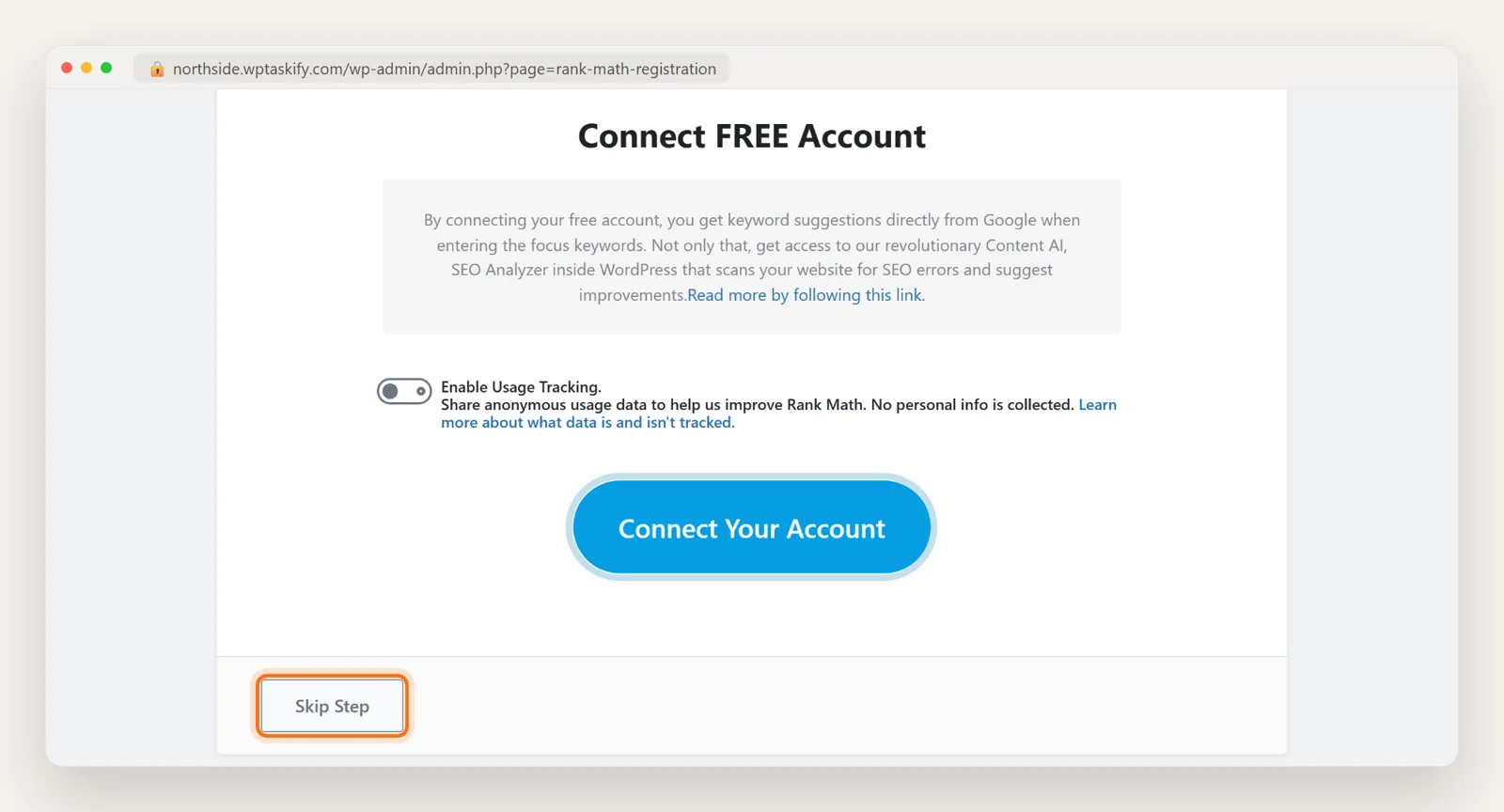
Rank Math opens with a screen asking you to connect a free Rank Math account. Until you connect or click Skip Step, it does not add anything to your pages: on our test site, its output was empty before this step. After skipping, its setup wizard walks through your site type, sitemaps and optimisation settings, and offers to import settings from Yoast, All in One SEO, SEOPress and Redirection.
The editor: what you see while writing
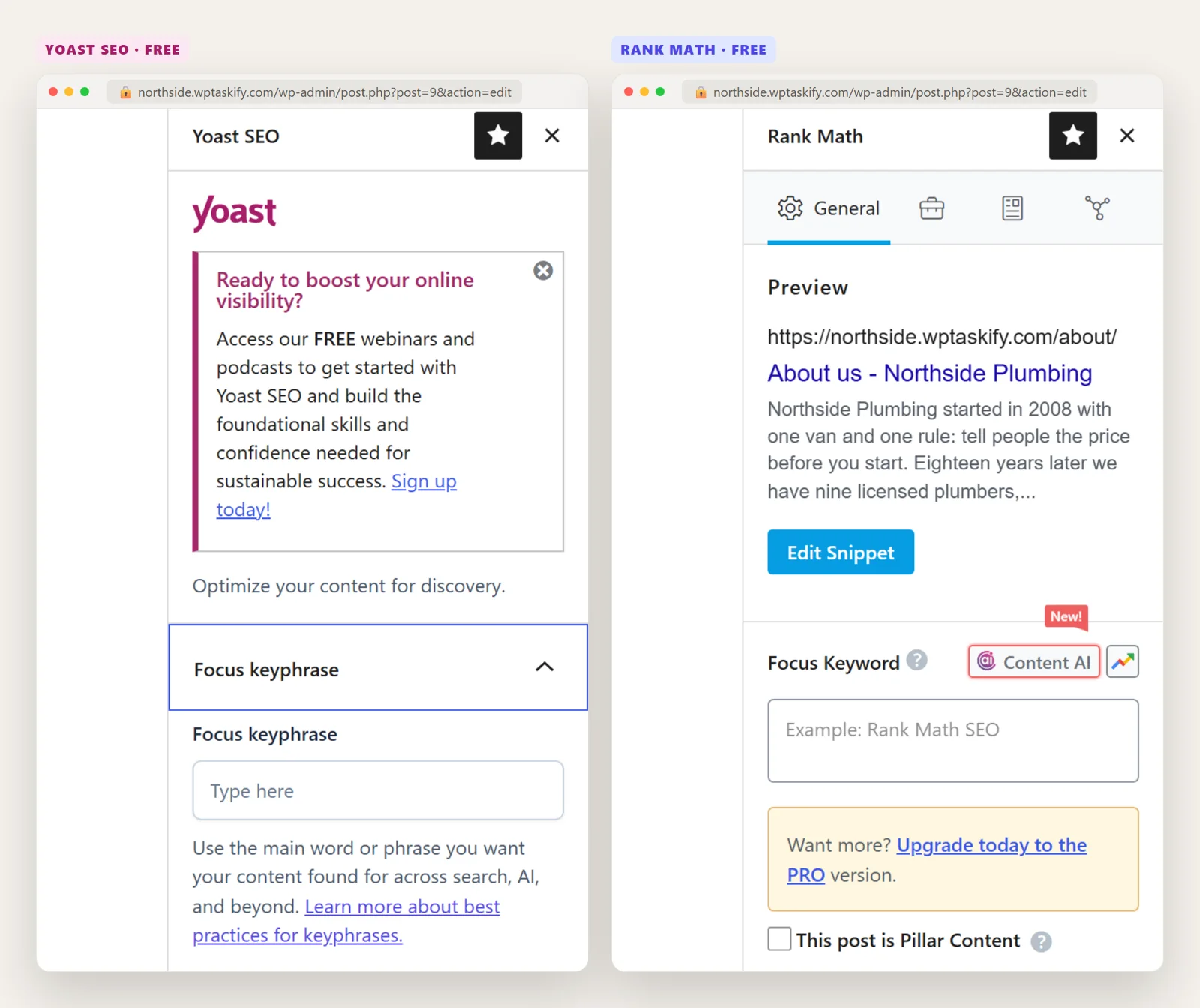
Both add a panel to the block editor. Yoast's is quieter: one focus keyphrase, an SEO analysis and a readability analysis, each with a coloured face. Rank Math's is busier: a search snippet preview at the top, room for up to five focus keywords, a score out of 100 in the toolbar, and its Content AI button.
Both checklists are guides, not ranking factors. A green light or a 100 score does not make a page rank. They are useful reminders, for example to put the main keyword in the title and write a real meta description.
What each one prints on your pages by default
On our About page, with no settings changed:
- Yoast added 12 meta tags (Open Graph and Twitter) and schema for WebPage, BreadcrumbList and WebSite. It printed no meta description, because we had not written one.
- Rank Math added 16 meta tags, including a meta description it wrote from the first paragraph, and schema for WebSite, WebPage and Article with a Person as author.
Two things to fix after installing either one. With Yoast, write meta descriptions for your key pages, or Google will pick its own text. With Rank Math, check the schema type for pages under Titles and Meta: an About or service page is not an article. For a business site, also set your business details so the home page carries LocalBusiness schema; our guide on adding schema markup in WordPress shows what that looks like.
Free features compared
This is where the two differ most. Rank Math puts much more in its free version:
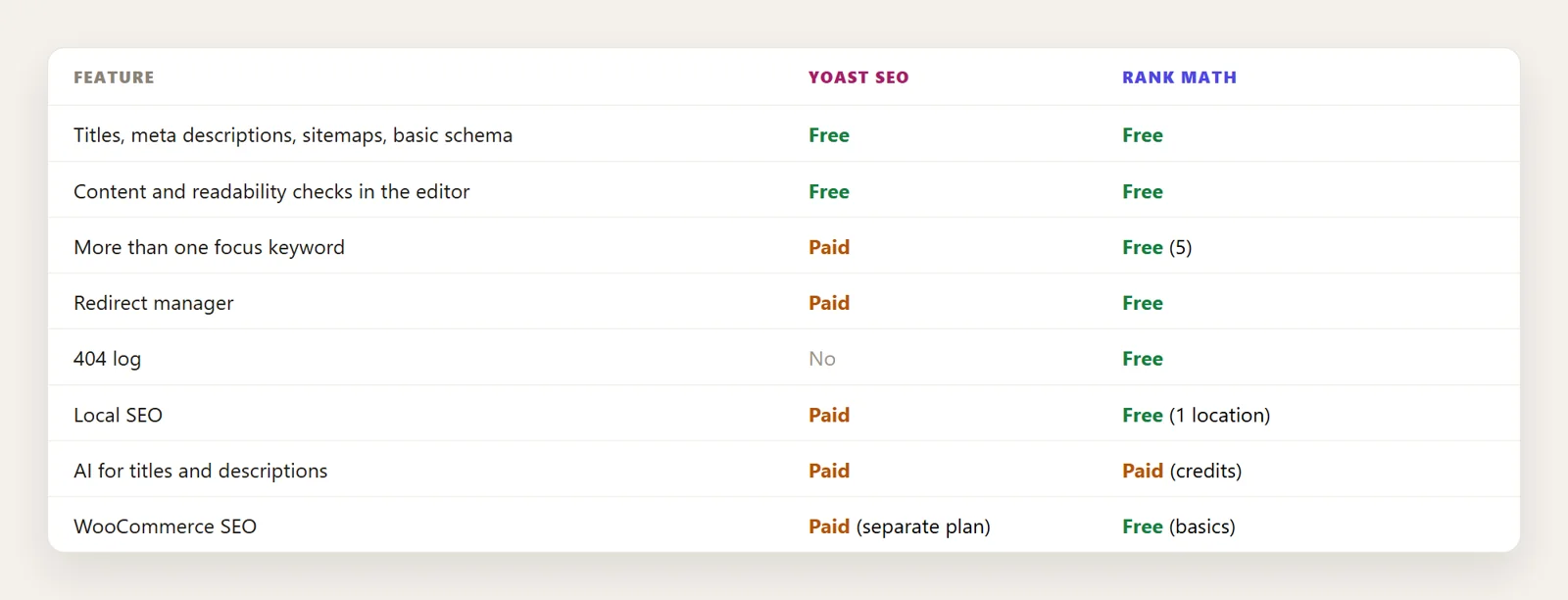
Price: Yoast Premium vs Rank Math Pro
- Yoast SEO Premium: $118.80 a year per site. Since mid-2025 it includes what used to be separate add-ons: Local, News and Video SEO. WooCommerce SEO is a separate plan at $178.80 a year.
- Rank Math Pro: $7.99 a month billed yearly ($95.88), for your own websites. Business ($24.99 a month) and Agency ($54.99 a month) plans cover client sites. Content AI credits are sold separately after a short trial.
Prices change, so check both pricing pages before buying. For most small sites, the free version of either plugin is enough.
Which one should you choose?
Choose Rank Math if you want redirects, a 404 log and several focus keywords without paying, you run a WooCommerce store on a budget, or you like having every setting in one place.
Choose Yoast if you or your client want a simpler editor with fewer settings, you do not want to create an account, or you are on a site that already runs it well. There is no SEO reason to switch a working Yoast site.
Do not run both. Two SEO plugins print two sets of titles, meta tags and schema. If you add redirects separately, use one tool for them too; see how to set up 301 redirects.
Switching from Yoast to Rank Math (or back)
Rank Math's setup wizard has an Import step that reads Yoast's titles, descriptions, focus keyphrases and settings, so your work carries over. Yoast's own importer currently covers All in One SEO, not Rank Math, so moving the other way usually needs a migration plugin. Either way: take a backup first, deactivate the old plugin after the import, and spot-check a few pages' titles and descriptions in the page source.
The plugin is the easy part
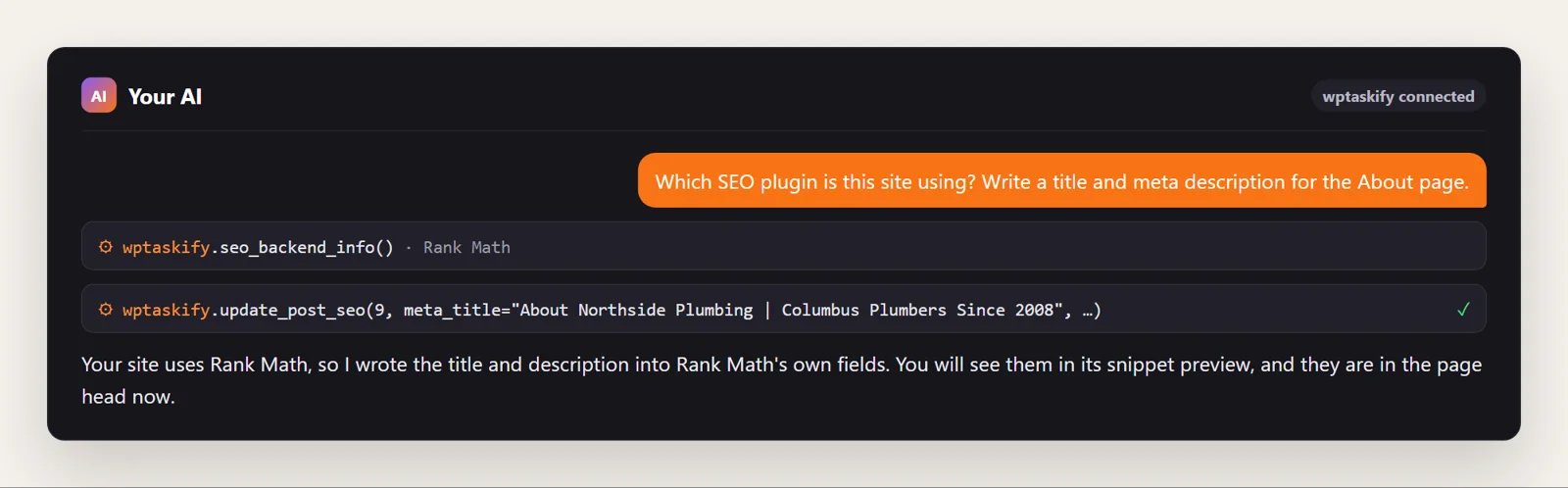
Whichever you pick, it gives you empty fields. The real work is writing a good title and description for every page and keeping them up to date. If your site is connected to Claude or ChatGPT through wptaskify, your AI can do that in either plugin: seo_backend_info detects whether the site uses Yoast, Rank Math or the wptaskify plugin, and update_post_seo writes into that plugin's own fields, so you see the result in its snippet preview.