What you get: a theme built for one business
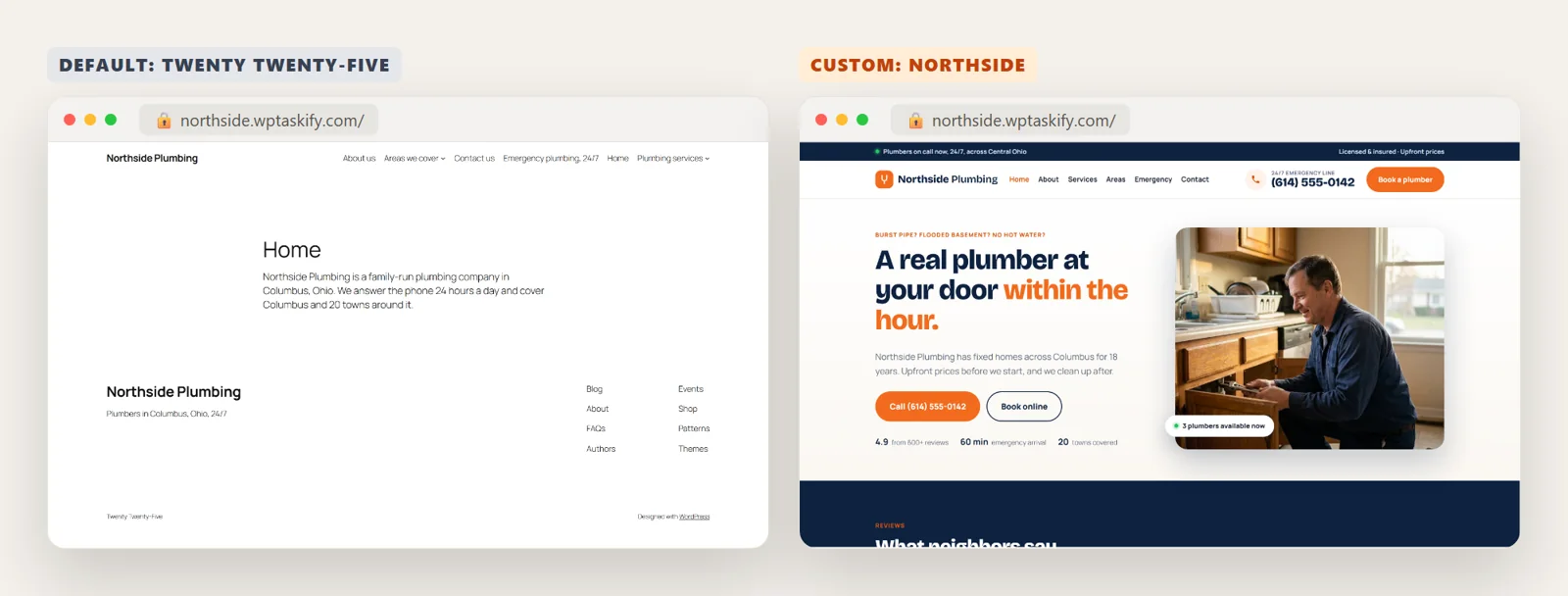
A ready-made theme is designed for everyone, so you spend your time hiding sections, fighting its layout and adding plugins to get what you need. A custom theme is the opposite: it has exactly the sections your business uses and nothing else.
Here is the same WordPress site, a plumbing company, with the default Twenty Twenty-Five theme and with its custom theme, Northside. Same pages, same content; only the theme changed.
Custom theme, child theme or page builder?
- Child theme: you like an existing theme and want to change parts of it. Smallest change, see our child theme guide.
- Page builder (Elementor and others): you want to drag and drop each page yourself. Flexible, but heavier pages and you depend on the builder.
- Custom theme: you want a specific design for the whole site, fast pages and no builder. This used to need a developer; AI now writes the code from a description.
What a WordPress theme is made of
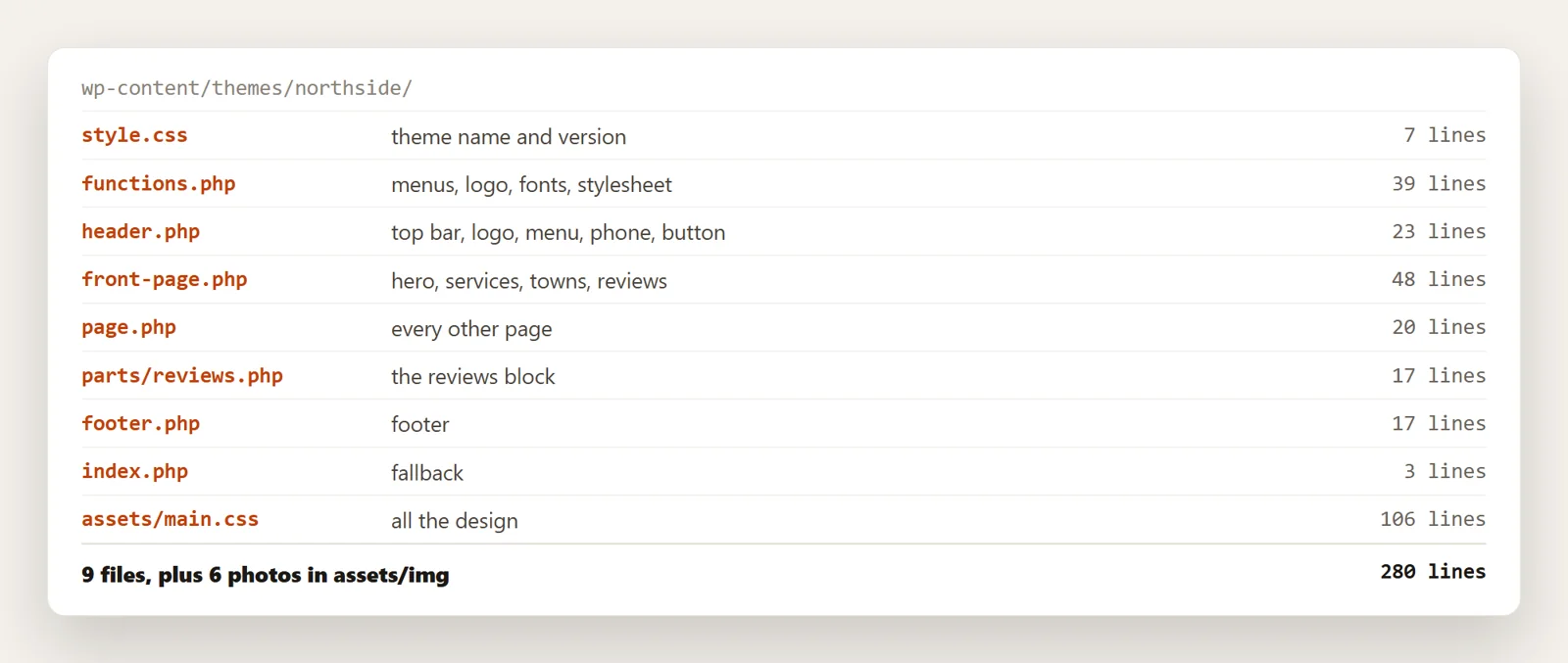
A theme is just a folder in wp-content/themes. WordPress only needs two files to list it: style.css with a Theme Name header, and index.php. Everything else is up to you. The Northside theme has nine files and 280 lines of code:
Step 1: Write the brief
The AI can only build what you describe. A good brief fits on half a page and covers:
- The business: what you do, where, and for whom.
- The one action you want from visitors: call, book, buy, get a quote. It goes in the header and the hero.
- Brand: colours (hex codes if you have them), fonts, logo, the feel (calm, bold, premium).
- Sections for the home page in order, for example hero, services, areas covered, reviews, call to action.
- A site you like and what you like about it.
Step 2: Generate the theme files
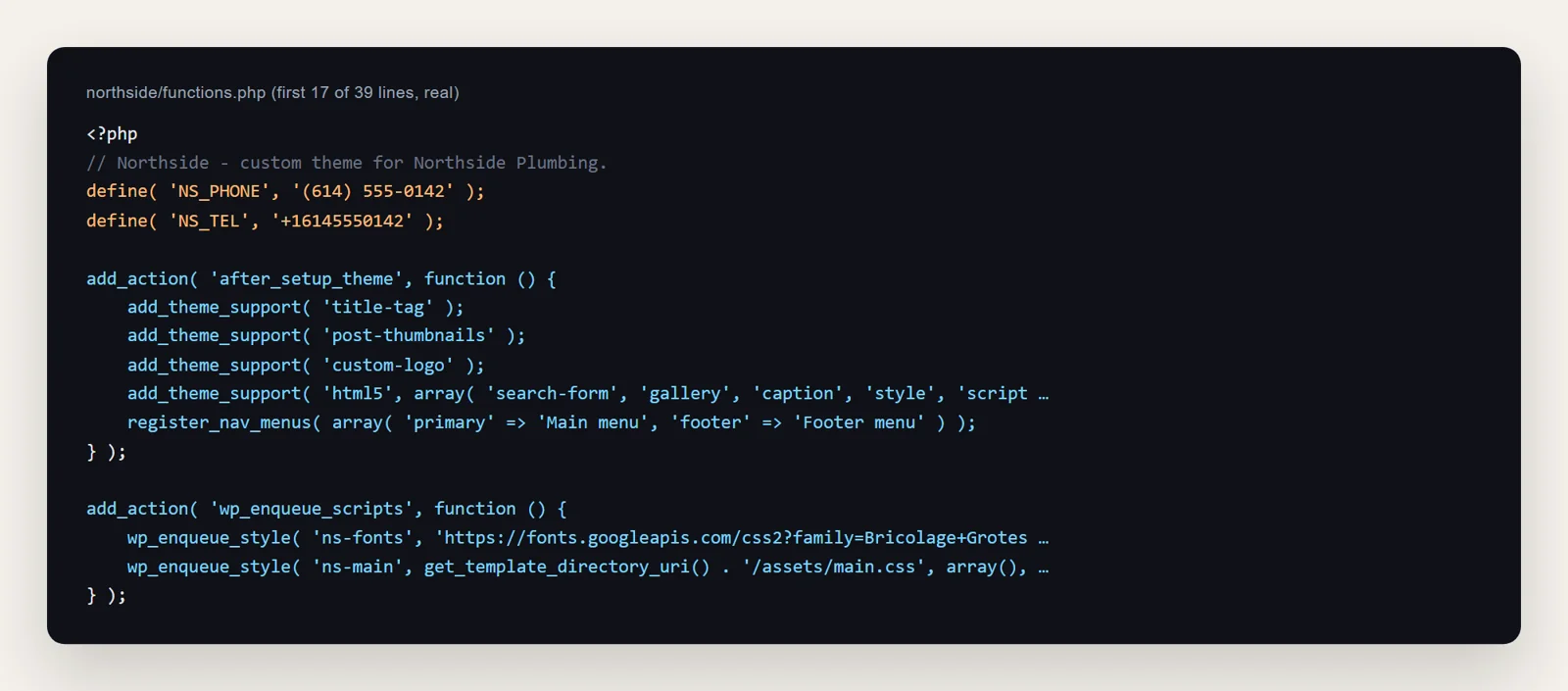
From the brief, the AI writes each file. Ask for a classic PHP theme if you want simple, readable files like these, or a block theme (theme.json plus HTML templates) if you want to edit layouts in the Site Editor later. Either way, a few things must be in every theme, and they are worth checking in what the AI writes:
add_theme_support( 'title-tag' )so WordPress and SEO plugins control the page title,wp_head()in the header andwp_footer()in the footer, or plugins break,- registered menus, so you can edit navigation in Appearance, then Menus.
Step 3: Preview it privately
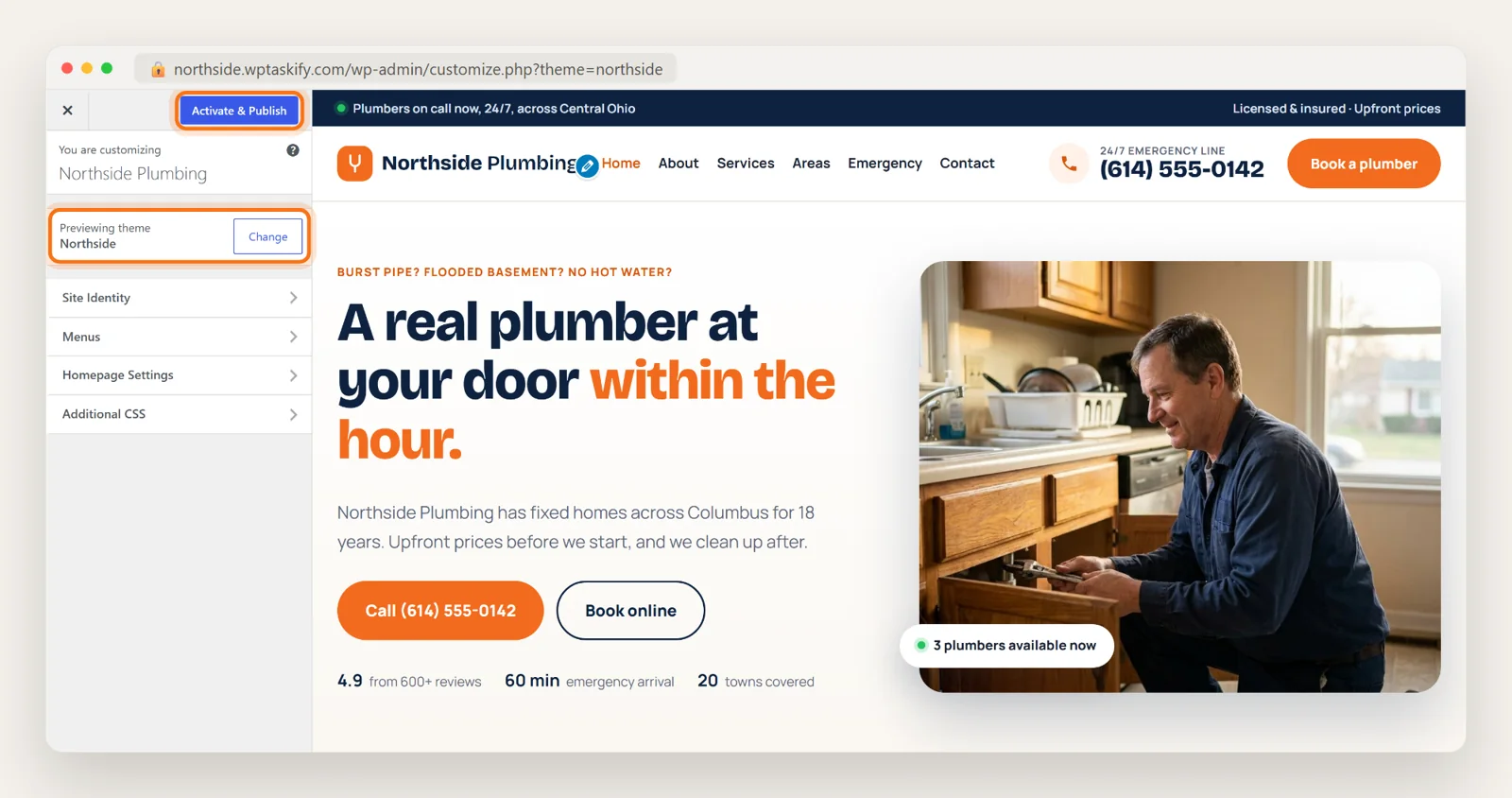
Never switch a live site to a theme you have not seen. WordPress has a private preview built in: under Appearance, then Themes, click Live Preview on the new theme. You see your real pages in the new design, and visitors keep seeing the old one until you click Activate & Publish.
Step 4: Check it on a phone
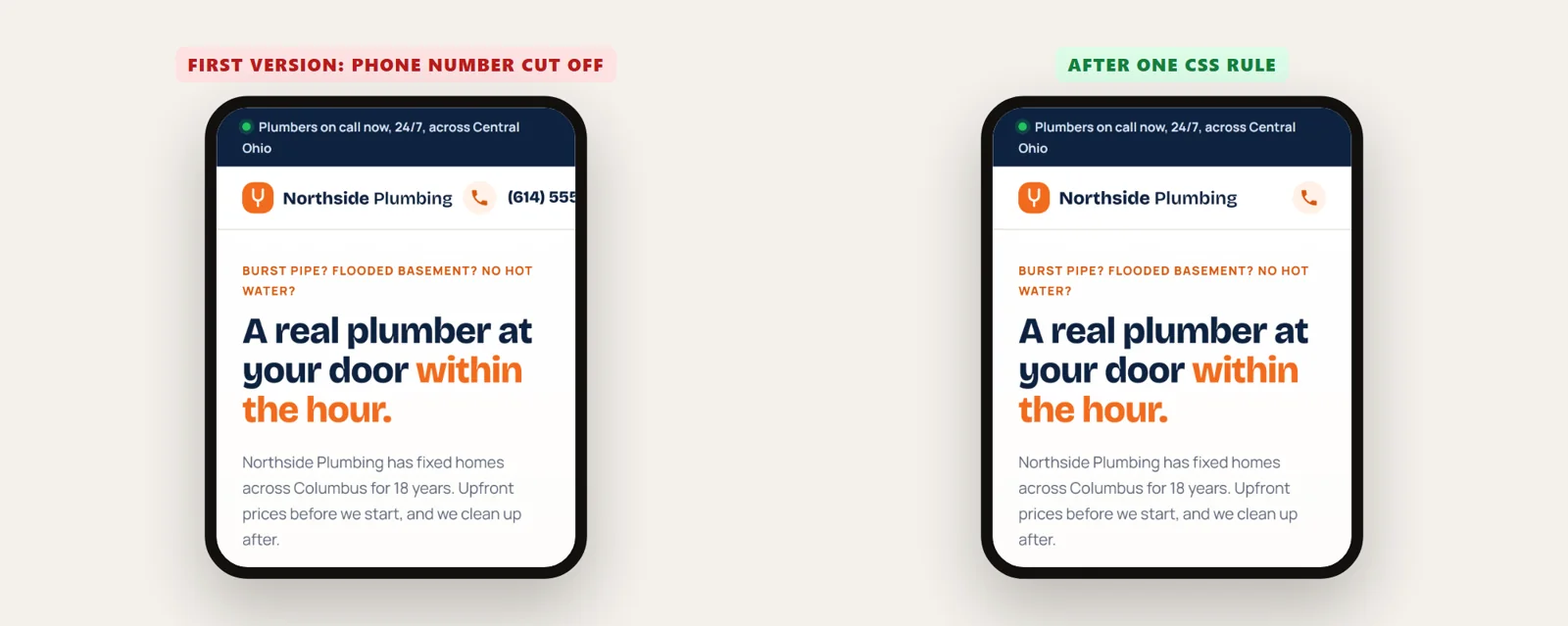
Most visitors to a local business site are on a phone, and that is where generated code most often goes wrong. Our first version looked right on desktop, but at phone width the phone number in the header ran off the screen. One CSS rule fixed it: on small screens, show only the call icon, which is still a tap-to-call link.
Check at least: the header and menu, the main button, the hero text size, and that nothing scrolls sideways. Your browser's developer tools (F12, then the phone icon) let you try different widths.
Step 5: Go live, with a way back
- Take a backup.
- Activate the theme, then click through the home page, a service page, the contact form and a blog post.
- Keep the old theme installed for a few weeks, so switching back is one click.
- Check menus and widgets: they are stored per theme, so some may need setting up again.
If a theme file ever has a PHP mistake, the site can go blank; our guide to the white screen of death covers the fix.
Doing it all from a chat with wptaskify
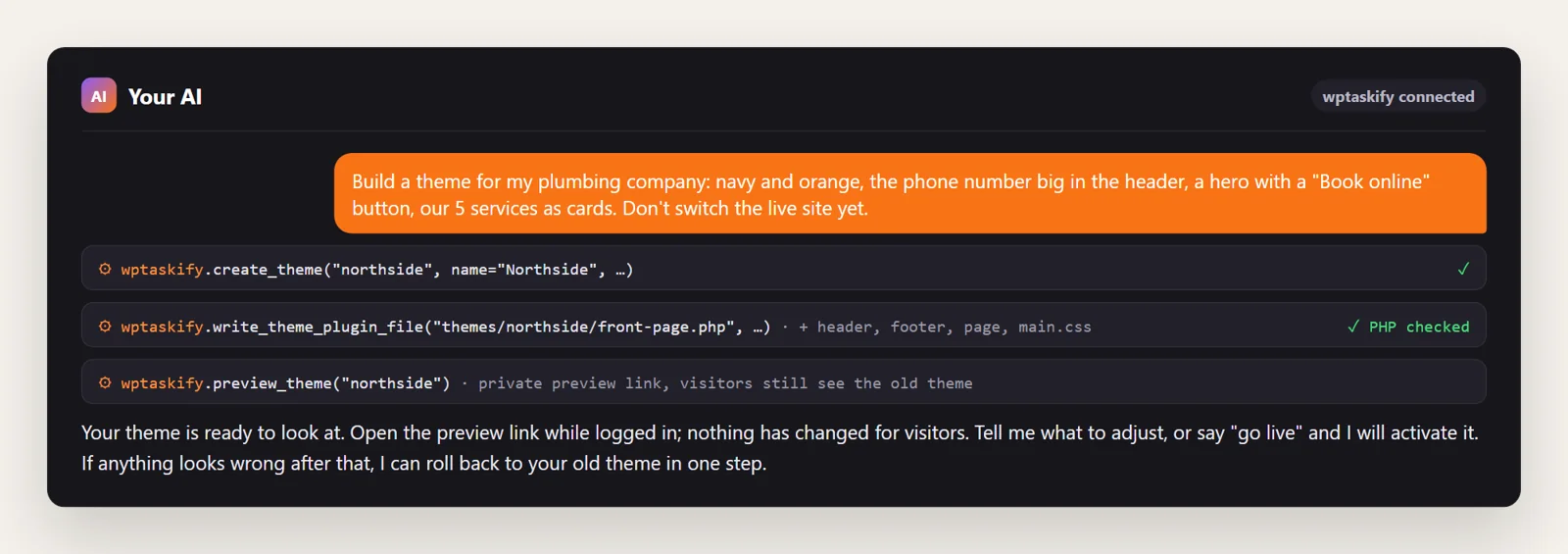
If your site is connected to Claude or ChatGPT through wptaskify, the AI does these steps on your site directly. create_theme makes the theme folder, write_theme_plugin_file writes each file (it checks PHP files for errors first and refuses a broken one, and backs up anything it replaces), preview_theme gives you the private preview link, and activate_theme switches the live site only when you say so. rollback_theme puts the previous theme back in one step. These tools need the wptaskify Pro add-on on a paid plan.
Honest limits of AI-made themes
- You own the code. There are no automatic theme updates, so new features and fixes are changes you ask for.
- Review before launch: phone layout, a menu that works on phones, colour contrast, image sizes and page speed.
- Plugins with their own templates, such as WooCommerce, may need extra theme files to look right.
- Keep it simple. A focused theme with a few sections is easier to get right, and to change later, than one that tries to do everything.