
What you can build
Most sites end up needing one small thing no plugin does quite right: a banner, a shortcode, a tweak to a form, a custom field. Instead of installing a large plugin for one feature, or pasting code into your theme's functions.php, you can have a tiny plugin that does exactly that and nothing else.
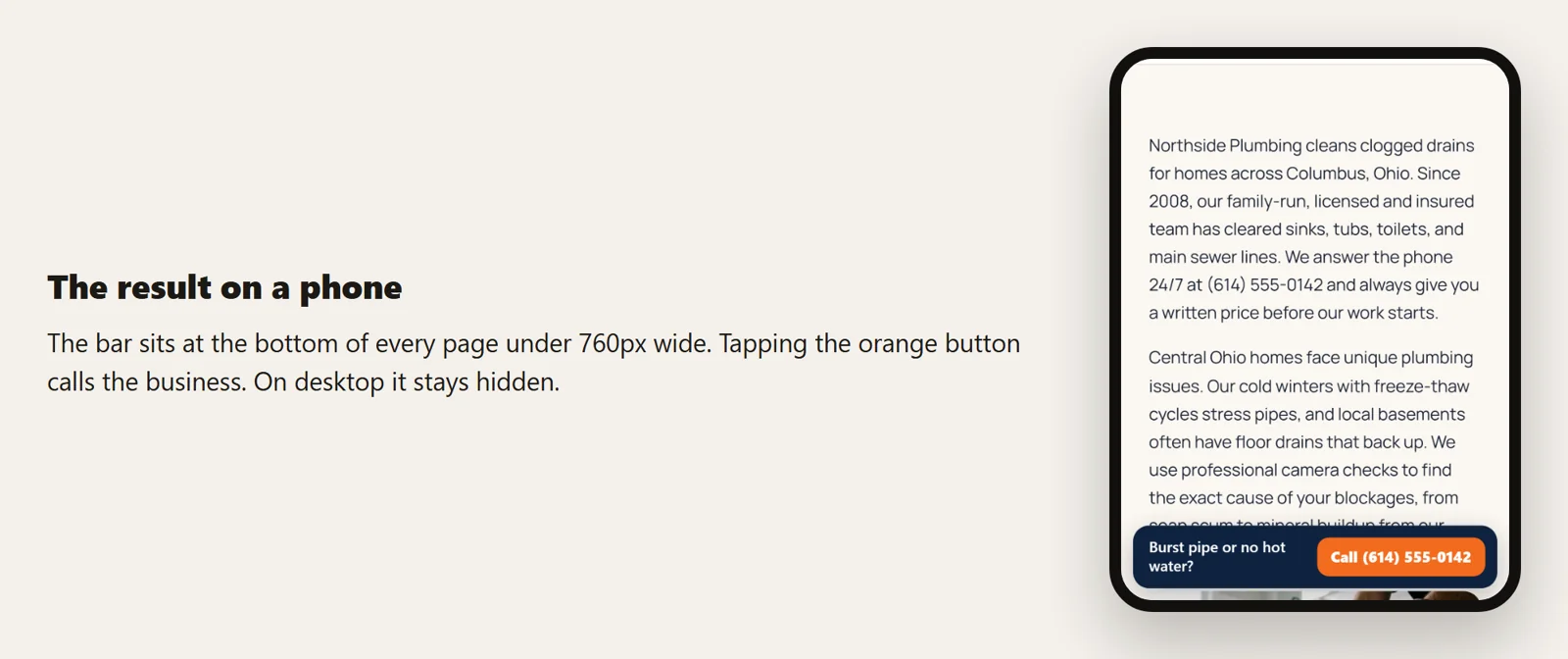
For this guide we built one on our test site, a plumbing company: a bar pinned to the bottom of the screen on phones, with a message and a Call button, and a settings page to change both. The whole plugin is one file of 78 lines.
Plugin or functions.php?
Code in your theme's functions.php disappears when you change themes, and gets overwritten when a theme updates (unless you use a child theme). Put code there only if it is about how the theme looks. Anything about what the site does, such as a banner, a shortcode, tracking or a custom post type, belongs in a plugin, so it survives theme changes and you can switch it off on its own.
What a plugin is made of
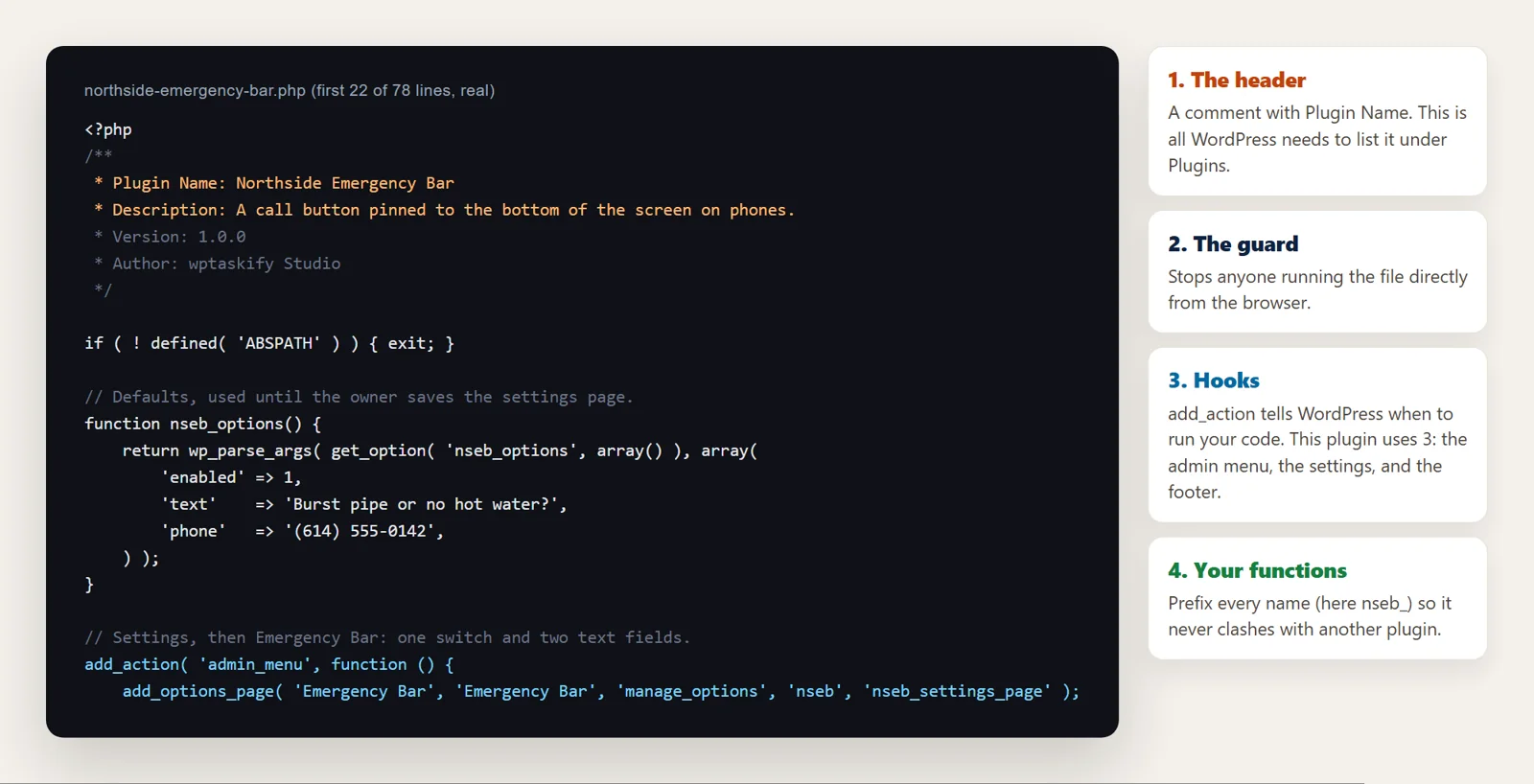
A plugin is a folder in wp-content/plugins with a PHP file inside. Four parts matter, and you will see all four in what the AI writes:
Step 1: Describe the plugin precisely
The quality of the plugin depends on the description. Cover:
- What it does in one sentence.
- Where it appears: every page, only on phones, only on posts, in wp-admin.
- Settings you want to change later without code, and their defaults.
- What it must not do: for example, load scripts on pages that do not need them.
Ours was: "On phones, show a bar at the bottom with 'Burst pipe or no hot water?' and a Call button. I want to change the text and number in Settings."
Step 2: Check the code before it runs
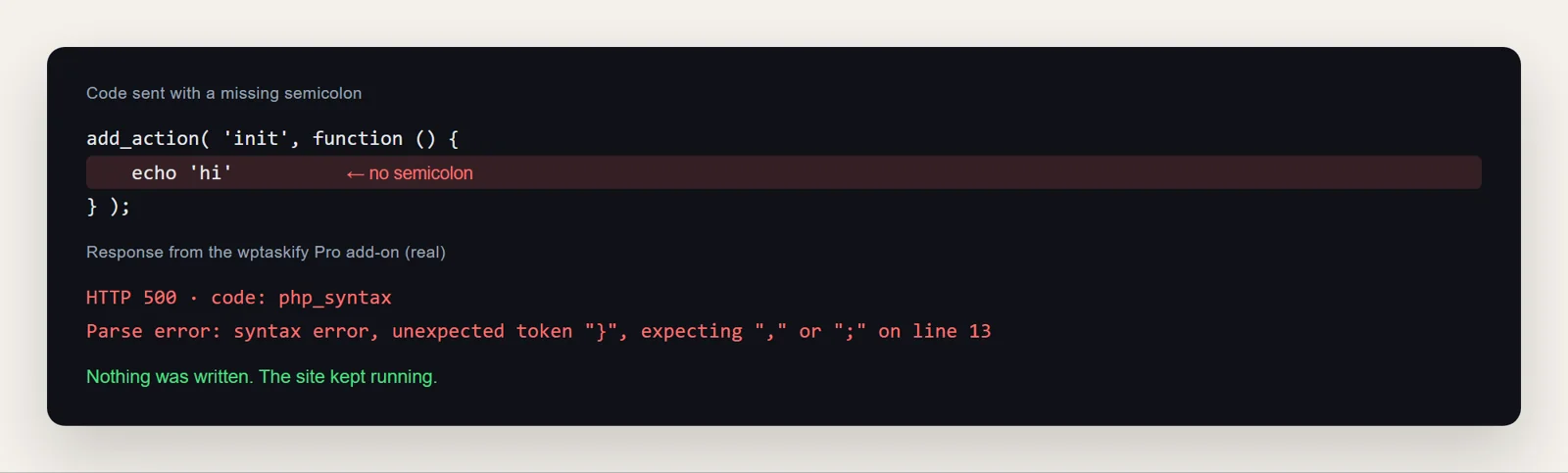
One PHP mistake in an active plugin can take the whole site down. So every file should be checked before it is saved. If you work by hand, run php -l plugin-file.php, which reports syntax errors without running anything.
wptaskify does this check automatically. We sent it a plugin with a missing semicolon on purpose; it refused to write the file and returned the exact error:
Step 3: Install it deactivated
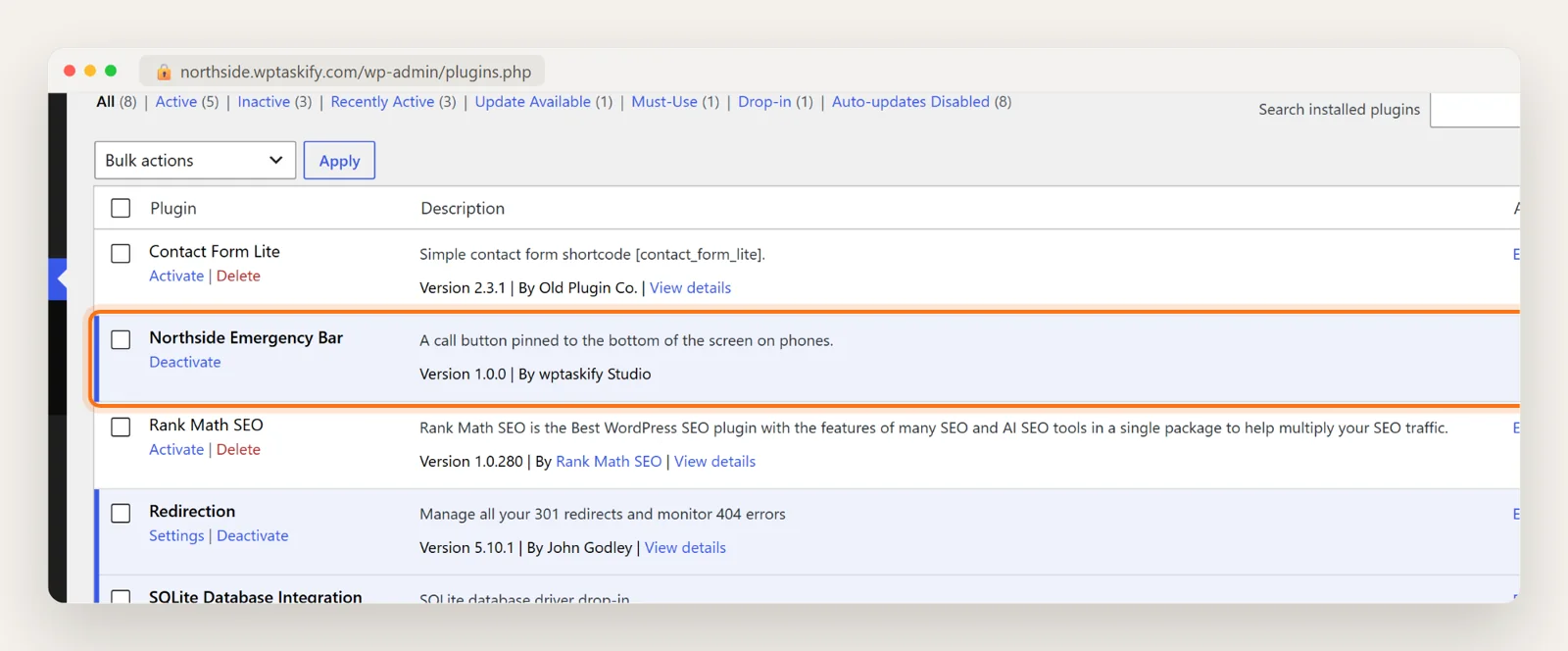
Upload the folder to wp-content/plugins by SFTP, or zip it and use Plugins, then Add New, then Upload Plugin. It appears in the plugins list, inactive, using the name and description from its header.
Step 4: Activate, test, and keep a way back
- Take a backup, or test on a staging copy first.
- Activate it, then open the pages it affects, logged in and in a private window, on desktop and phone.
- If anything breaks, deactivate it. If wp-admin itself is down, rename the plugin's folder over SFTP; see the white screen of death guide.
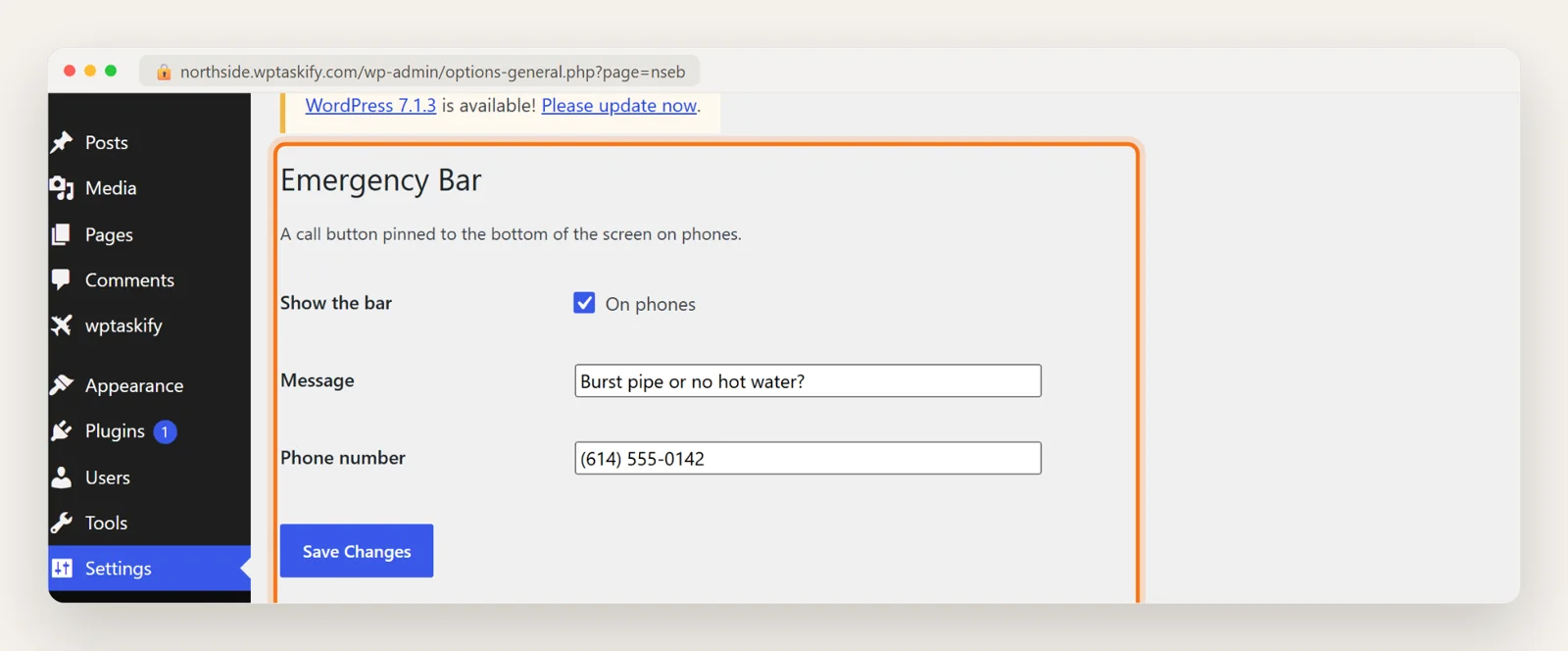
Our plugin added a page under Settings, then Emergency Bar, built with WordPress's own settings tools so the values are cleaned before they are saved:
Review what the AI wrote
You do not need to be a developer to do a basic review. Look for:
- Escaping output: anything printed on a page passes through
esc_html(),esc_attr()oresc_url(). - Cleaning input: settings and form data pass through
sanitize_text_field()or similar before saving. - Permissions: admin pages check a capability such as
manage_options. - Prefixes: every function and option name starts with the same short prefix.
- No surprises: no calls to outside servers, no code that runs on every page if it is only needed on one.
Ask the AI to explain any line you do not understand. If it cannot explain it plainly, ask it to rewrite it more simply.
Doing it from a chat with wptaskify
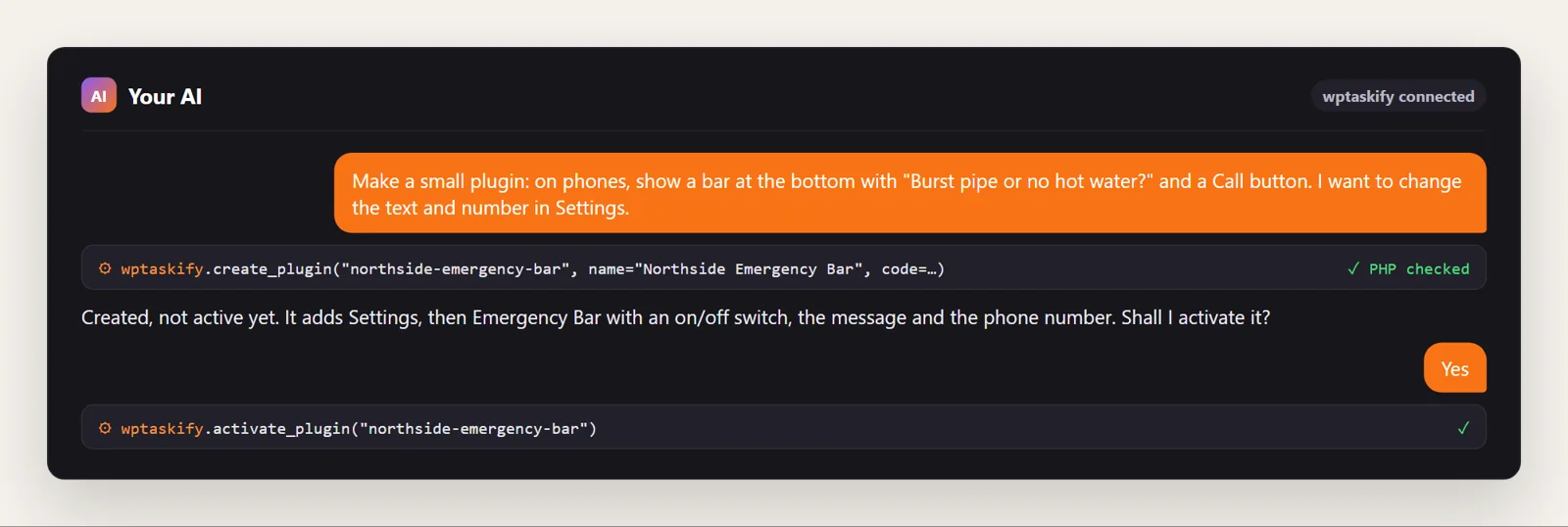
If your site is connected to Claude or ChatGPT through wptaskify, the AI can do steps 2 to 4 on your site: create_plugin writes the plugin with a valid header and checks the PHP first, write_theme_plugin_file edits it later (with a backup of the old version), and activate_plugin switches it on when you say so. These tools need the wptaskify Pro add-on on a paid plan. Our plugin was created through exactly that route.
When not to build your own
- Payments, logins and security: use established plugins that are maintained and audited.
- Something a well-rated plugin already does well: a maintained plugin gets updates you would otherwise have to ask for.
- Large features such as a booking system or a shop. AI can write them, but you then own a lot of code to maintain.
Small, single-purpose plugins are the sweet spot. For bigger design changes, see how to create a custom theme with AI.