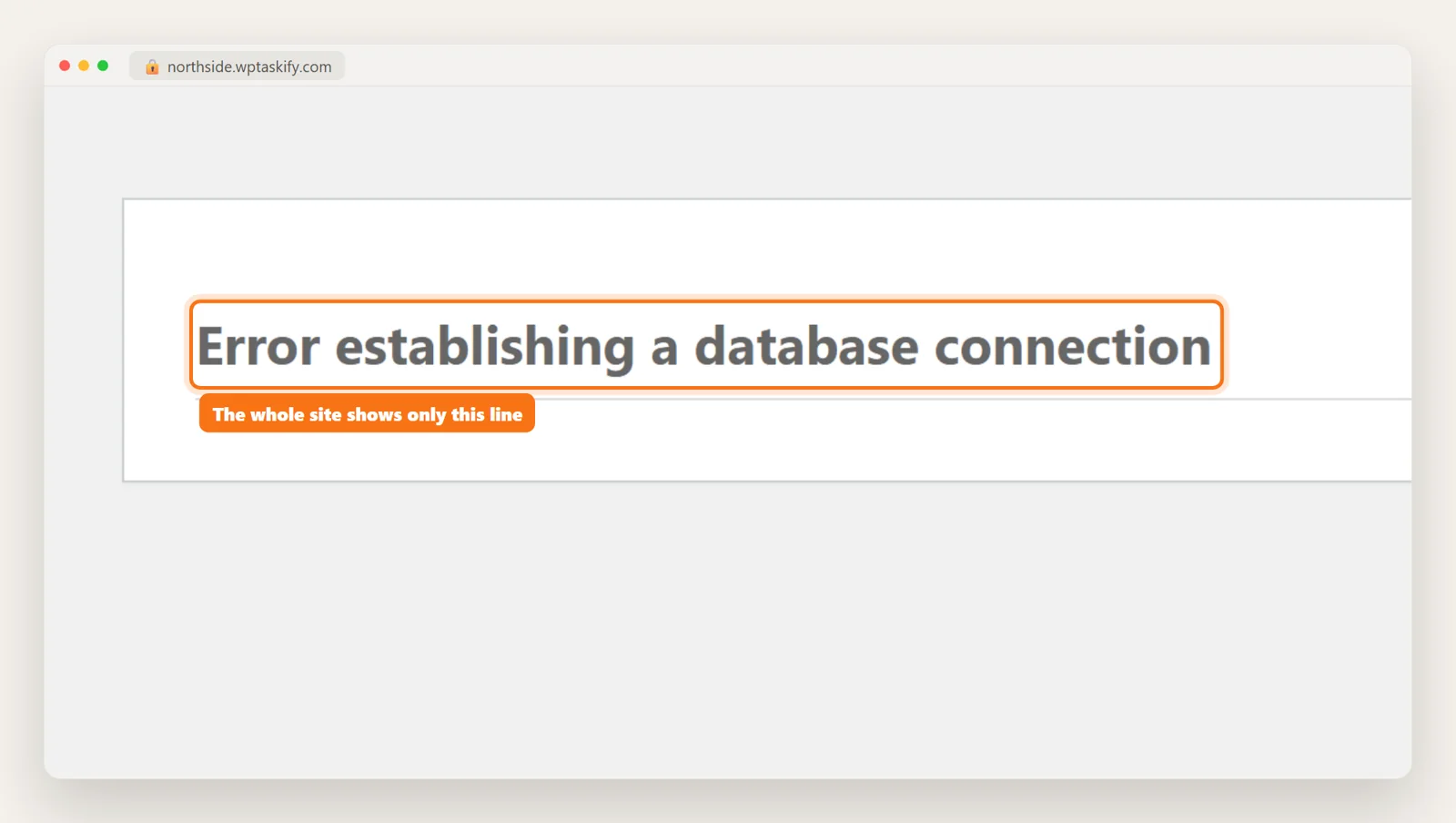
Why a PHP update can break a WordPress site
WordPress itself runs fine on current PHP. The problem is the code around it. Plugins and themes are written by thousands of different developers, and some of that code was last touched when PHP 7 was current. PHP 8.0 changed a long list of things from a polite warning into a hard error, and later versions removed more old functions.
So nothing in your site changed, but the rules it runs under did. That is also why it often happens on a day you did nothing: your host moved the server to a newer PHP version.
In October 2026 this is happening to a lot of sites at once. After the PHP2Shell flaws (CVE-2026-109618 and CVE-2026-109619, rated 9.2) were patched on October 21 in PHP 8.2.35, 8.3.36, 8.4.27 and 8.5.12, many hosts started moving sites up, and PHP 8.1 and older did not get a fix at all.
What it looks like: the page half loads
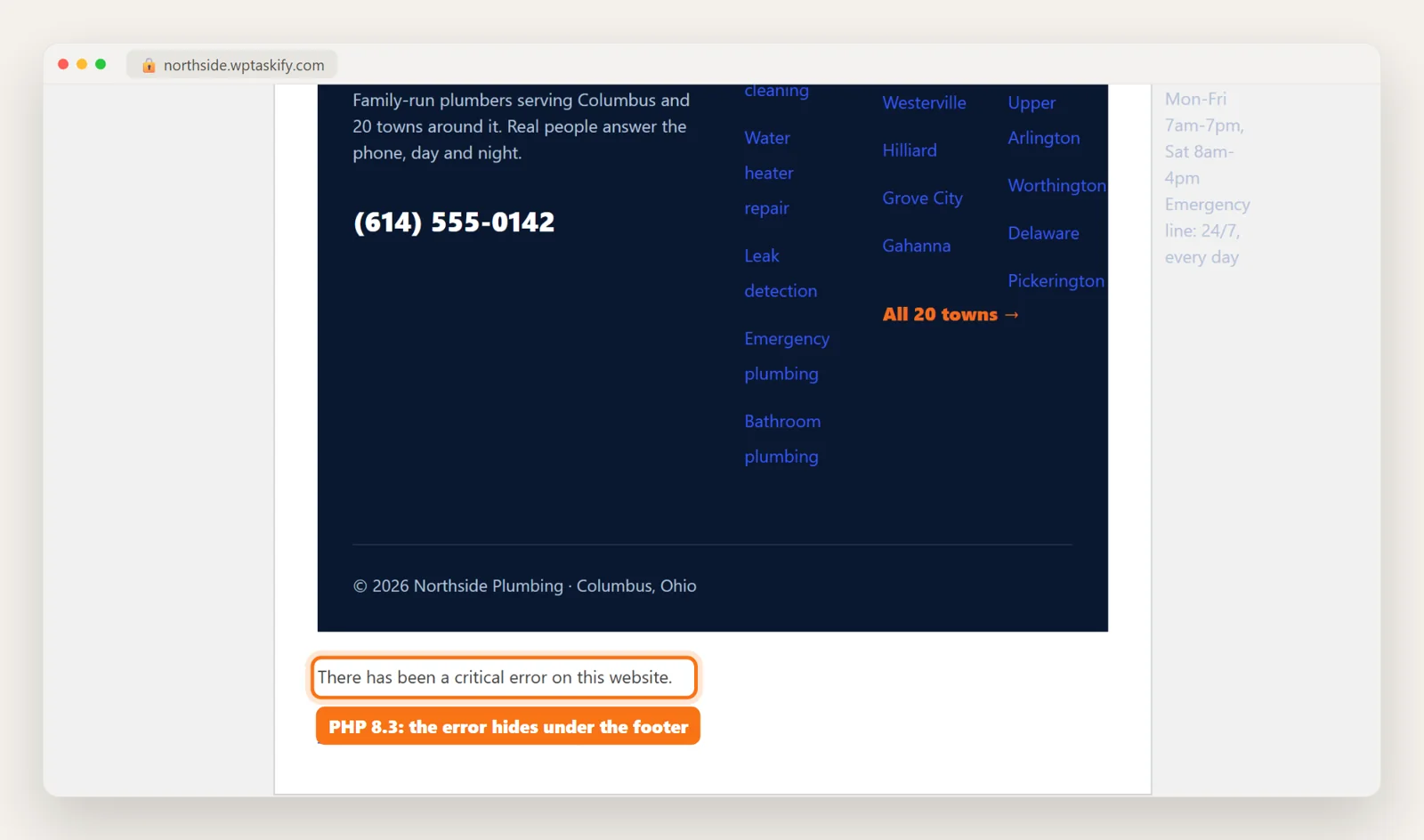
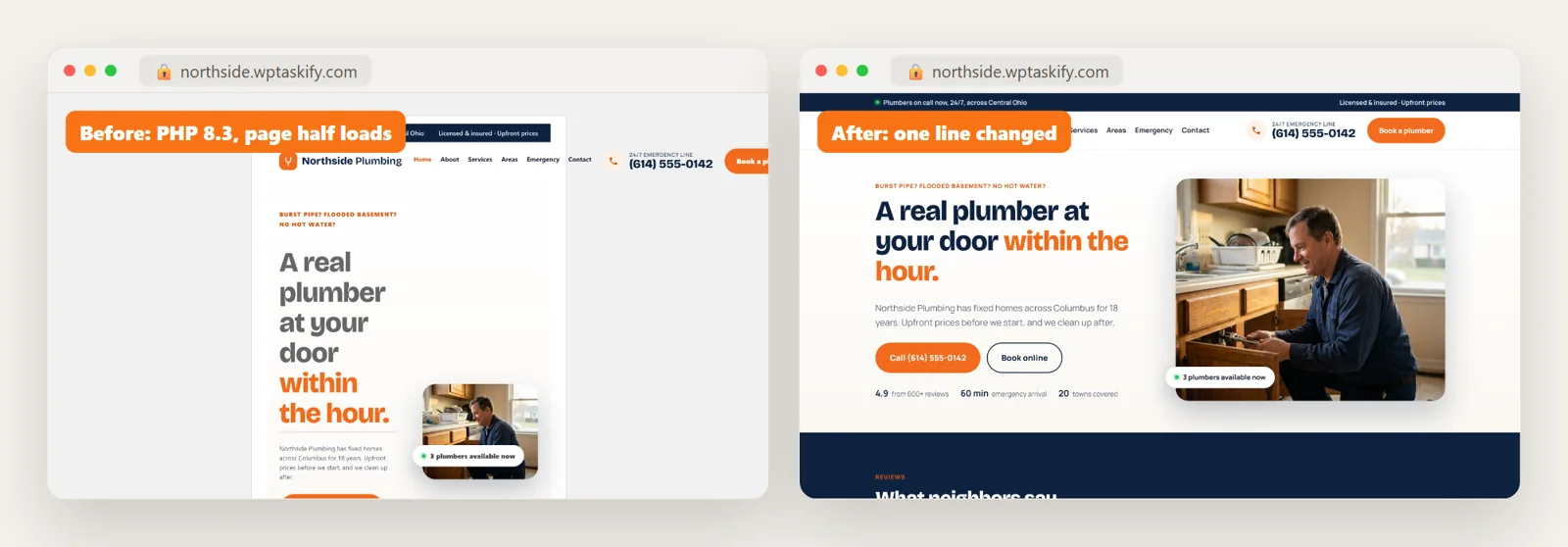
To write this guide we broke our demo site on purpose. We added a small slider plugin written the PHP 7 way and ran the site on PHP 8.3. The result surprised us: the page did not go blank. The header and most of the content loaded, the layout was squeezed into a narrow box, and the message "There has been a critical error on this website" sat under the footer, where it is easy to miss.
That happens when the broken code runs late in the page, in this case in the footer. If the broken code runs early, you get the familiar full-page critical error or a white screen instead. Either way the server returns an HTTP 500 status, which search engines notice even if visitors scroll past the message.
Step 1: Check which PHP version you are running now
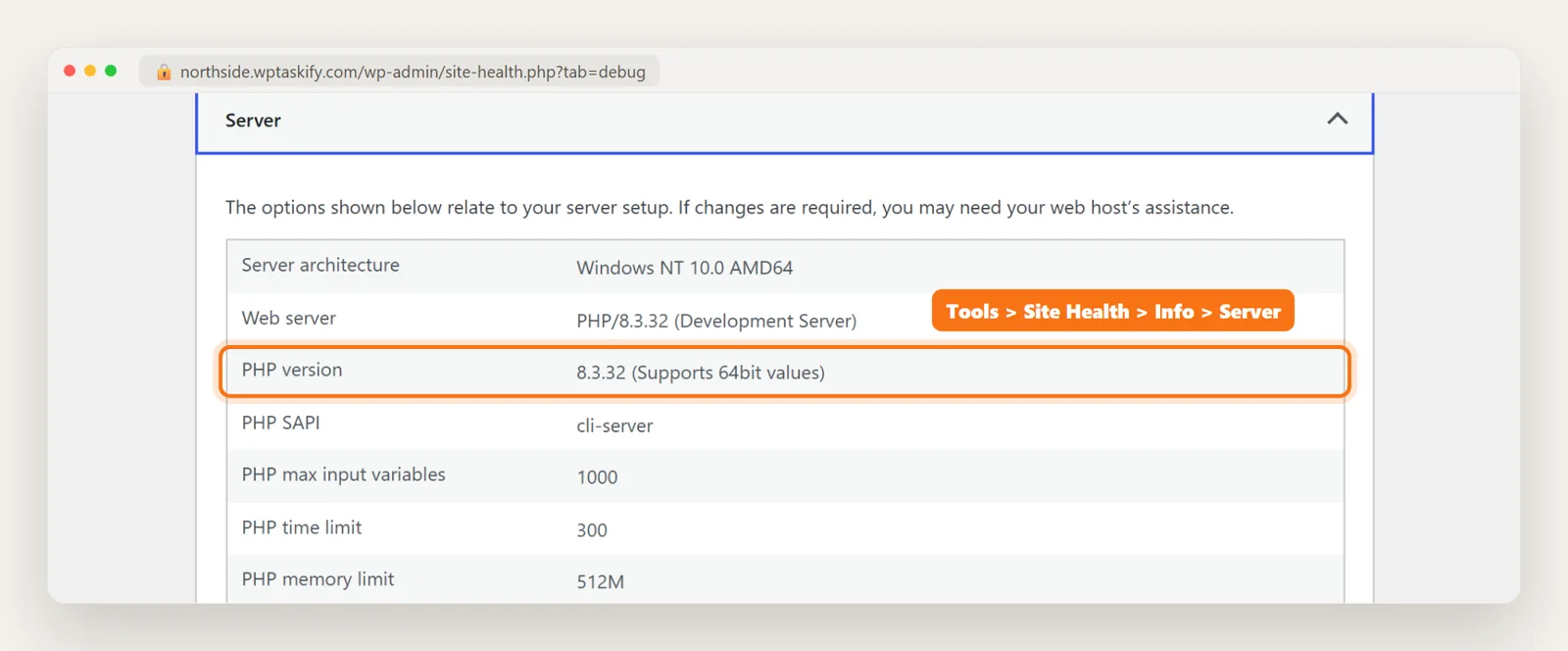
Before anything else, confirm the PHP version actually changed. In wp-admin go to Tools, Site Health, Info, open Server and read PHP version. Your hosting panel shows the same number under PHP settings or PHP version.
If wp-admin will not load, your host's panel is the place to look, or ask support which PHP version the site moved to and when. The date helps: if the site broke the same day, you have your cause.
Step 2: Find the exact file and line
WordPress records which file failed. You have two places to read it:
- The recovery email. WordPress emails the admin address with the subject "Your Site is Experiencing a Technical Issue". It names the plugin or theme and gives a recovery-mode login link.
- The debug log. In wp-config.php set
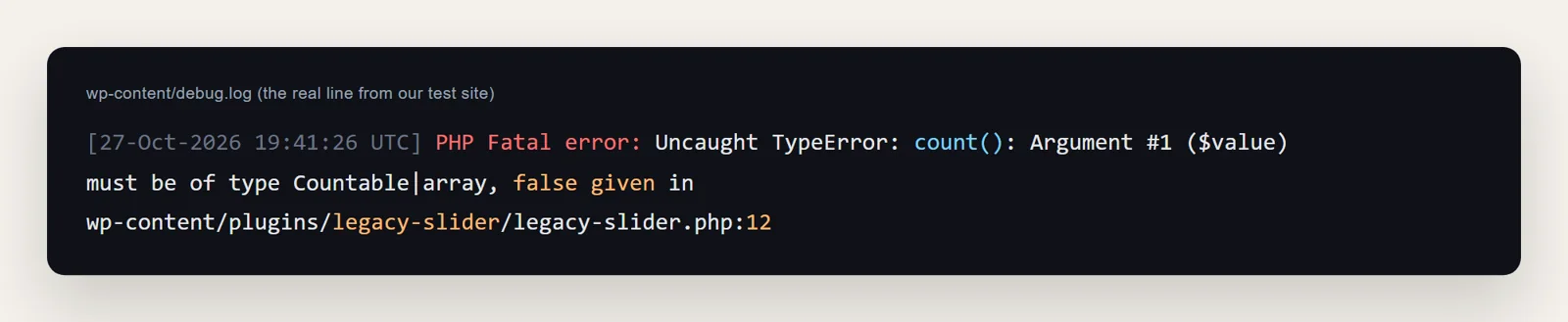
WP_DEBUGandWP_DEBUG_LOGto true andWP_DEBUG_DISPLAYto false, reload the page once, then openwp-content/debug.log.
This is the real line from our test site. The folder after /plugins/ is the plugin, and the number after the colon is the line:
Step 3: Get the site back up first
A broken site loses visitors every hour, so get it working before you fix the code properly. Pick the first option that applies:
- Update the plugin or theme named in the error. Most active plugins have shipped PHP 8 fixes long ago.
- Deactivate it. Use the recovery-mode link from the email, or rename the plugin's folder in
wp-content/plugins/over SFTP if wp-admin is down. Renaming deletes nothing. - Roll PHP back, carefully. Most hosts let you pick the PHP version in the panel. Our advice: only step back to a patched release of an older branch, such as PHP 8.2.35, and only for a few days. Going back to PHP 8.1 or 7.4 to keep an old plugin running puts the whole site on a version with known holes and no fixes coming.
Step 4: Fix the code PHP 8 rejects
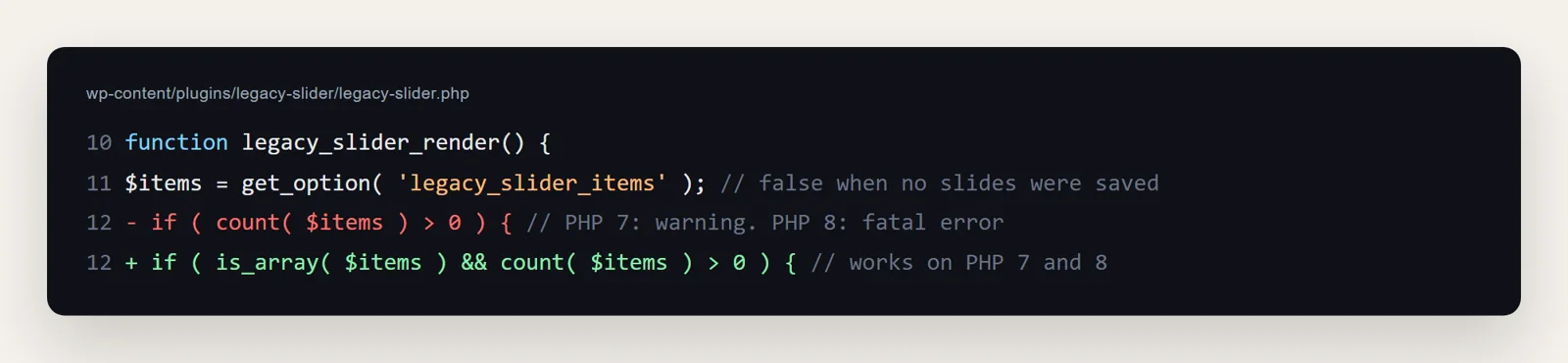
On our test site the plugin did this: it read a saved option and counted it. When nothing had been saved, WordPress returned false. PHP 7 only logged a warning for counting false. Since PHP 8.0, count() throws a TypeError, according to the changelog in the PHP manual, and the page stops.
The fix is one line: check that it is a list before counting it.
Other old code that breaks on PHP 8
These are the patterns we see most in old plugins and themes. Search the file named in the error for them:
create_function()was removed in PHP 8.0. Replace it with an anonymous function:function( $a ) { ... }.each()was removed in PHP 8.0. Use aforeachloop.$string{0}(curly-brace string offsets) no longer parses. Use$string[0].count()orimplode()on a value that is not an array now throws a TypeError. Check withis_array()first, as above.- Calling a normal method statically, such as
ClassName::method()on a method that is not static, is now a fatal error. - From PHP 8.1 on, passing
nullto functions such asstrlen()ortrim(), and from 8.2, creating properties on the fly, give deprecation notices. They do not stop the page, but with debug display on they can break page output.
One warning about editing a plugin's own files: the next plugin update overwrites your fix. If the plugin is maintained, update it. If it has been abandoned for years, replace it, or keep your fixed copy under a new folder name so an update can never bring the broken code back.
How to fix it with your AI
This is the kind of job wptaskify was built for. With the plugin connected, and server access added for when wp-admin is down, you can describe the problem in plain words: "my site broke after my host moved me to PHP 8.3". Your own Claude or ChatGPT then:
- Checks the PHP version the website really runs. The command-line PHP on a server is often a different version from the one serving pages, so it reads the web value.
- Reads the error log and names the plugin or theme file and the line.
- Rewrites the line for PHP 8. Before saving, the file is checked for PHP errors, and the old version is kept, so a bad edit is refused and any change can be undone in one request.
- Tells you when a plugin is too old to save, and turns it off instead of patching it line by line.
Theme and plugin edits through the wptaskify plugin, and server access over SFTP, both keep that backup. Your AI never sees the server password.
Before your next PHP update
- Check each plugin's "Requires PHP" and "Tested up to" on its WordPress.org page. A plugin with no update in two years is the one most likely to break.
- Test on a staging copy first. Most hosts can clone the site in one click. Switch the copy's PHP version and click through the main pages and the checkout.
- Developers can scan the code with PHP_CodeSniffer and the PHPCompatibilityWP ruleset, which flags code that will not run on a chosen PHP version.
- Back up first, files and database, so a bad update is a quick restore. See full-site backups with wptaskify.
- Related: "There has been a critical error on this website" and the white screen of death are often the same problem showing up a different way.